Category: Content Marketing

  • Is Your Nonprofit Taking Advantage of GivingTuesday?

    Are you a nonprofit or a foundation? It’s time to start thinking about GivingTuesday. GivingTuesday is a “global movement for generosity,” and it happens the Tuesday after Cyber Monday.

    When is GivingTuesday?

    So it goes  American Thanksgiving, Black Friday, which is for in-person businesses. Then you have Small Business Saturday, the shop small movement, which is sponsored by American Express. Then you have Cyber Monday which is for online businesses and then GivingTuesday.

    The short answer is GivingTuesday is always the Tuesday after Thanksgiving. This year Giving Tuesday is November 30. Want a to-do list to get going? . 

    Focus Your Fundraising Campaigns on GivingTuesday

    GivingTuesday is a campaign in and of itself — separate from your general fund campaigns. It’s best if your organization starts working on that special campaign in the summer. Of course, now it’s already mid-September. But you still have time to ork on what one thing do you want to raise money for in November.

    What one thing do you want to raise money for on GivingTuesday? Write that copy. Make a landing page. Make a specific donation page only for that.

    This is where a plugin like GiveWP.com comes in handy. So that you can measure your campaigns against, um, one another. The funds can all go to the same bank account or to the same general fund, but you really want to see how your campaigns are going.

    Get Email Marketing Ready for GivingTuesday

    You’re going to want to make sure that you have a mailing list specifically for GivingTuesday. So you might want to start inviting people to just subscribe to that mailing list. You even may want to create swag for donors who specifically donate on GivingTuesday.

    GivingTuesday is a Good Opportunity for Co-Marketing 

    You might want to work with a branding partner or co-market with a for-profit business for #GivingTuesday. So start thinking about that in June. Get it all squared away by the 1st of August. Make those landing pages. They don’t have to be live but make sure that you have filled your calendar with all of the things that you need to do and to accomplish before that.

    Yes, We Wrote a Marketing Book for Your Nonprofit

    just to help your nonprofit focus its marketing efforts. More than my GivingTuesday worksheet, there is an entire chapter on GivingTuesday that you’ll want to read which includes optimizing your donation forms. But it also includes information on websites, landing pages, and marketing automation. 
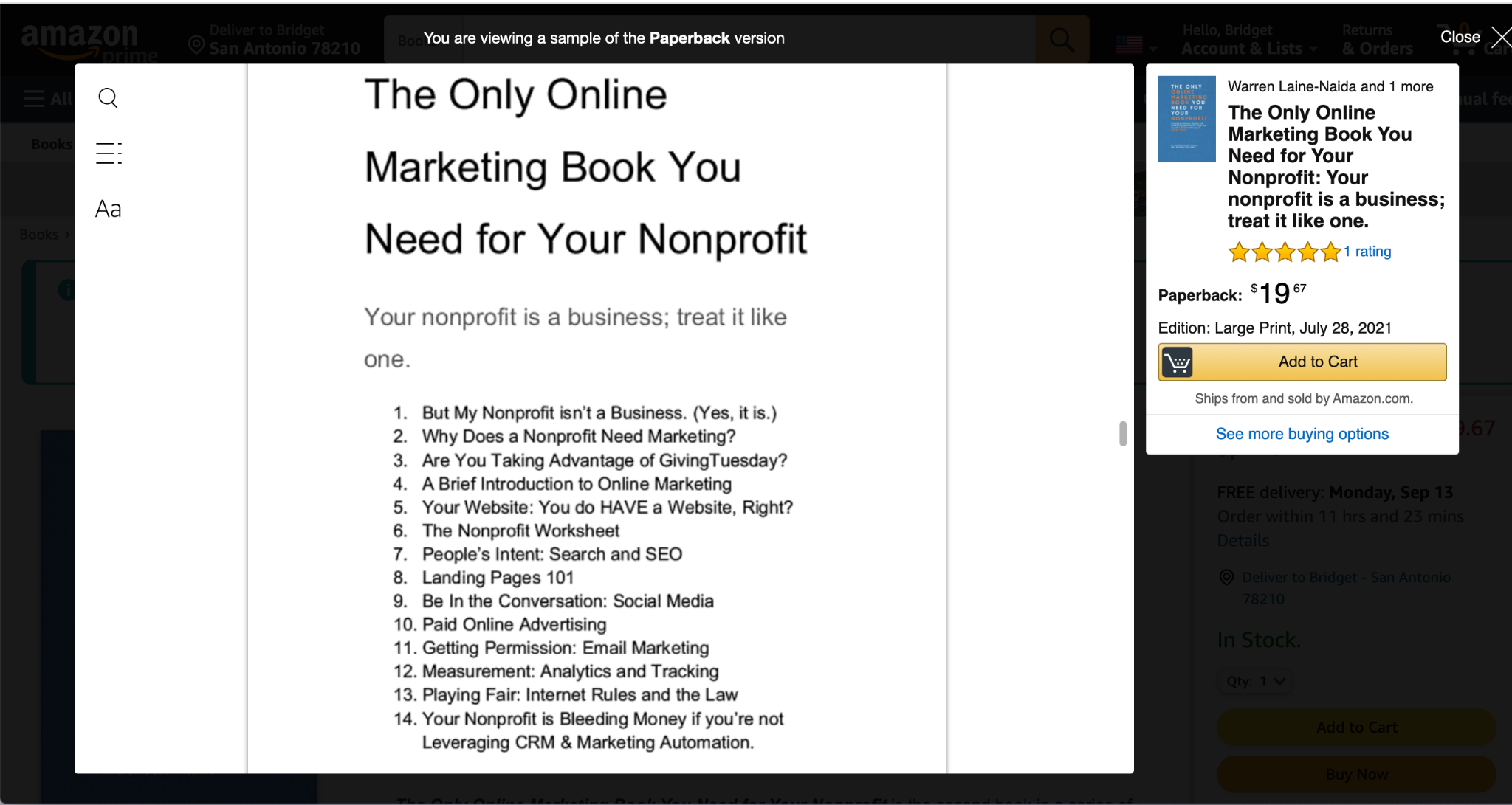
    Table of contents screenshot for The Only Online Marketing Book You Need for Your Nonprofit.
    Screenshot of Look Inside at the Table of Contents for the Book

    What are you waiting for? People want to donate to your organization.

    Watch the My Video 

    The Only Online Marketing Book You Need for Your Nonprofit

    The Only Online Marketing Book You Need for Your Nonprofit is the second book in a series of three intended to help businesses, schools, and organisations get a grasp on the sometimes dizzying world of online marketing. This book will fuel your interest and excitement about what digital offers your nonprofit or foundation, and how you can use the internet to succeed. Your digital presence is an extension of all the things your business does online and offline. It’s an exciting time!

    Successful businesses and nonprofits have marketing campaigns. The only difference is that one campaign is to sell a product to fit a customer’s lifestyle and identity and the other sells a donation or way to give that fits that lifestyle and identity.

    This book also includes a chapter written by the founder of Groundhogg, Adrian Tobey called “Your nonprofit is bleeding money if you’re not leveraging CRM & Marketing Automation.”

    This is the second book in a three-book series for small businesses, nonprofits, and schools.

    Online marketing and communication is a way for you to make new connections and share with the world. It’s a foundational skill that you can apply to grow your organization for years to come, no matter how quickly technology changes and trends rise and fall. If you’re uncomfortable with tech, that’s okay. Communication, online or offline, is not a contest.

    Participate. Try. Fail. Learn. Try again. Succeed!

    Purchase the book on Amazon.com.

  • How to Correctly Format a Blog Post

    When you write a blog post it’s more than just an essay that you used to write for school projects. You need to write in a way that’s educational, informative, and slightly entertaining. This is marketing copy; it’s not a term paper.

    A blog post is not a journalistic article. People are used to seeing news articles and writing that way. Marketing copy is more like an infomercial. You want to have consumable, bite-sized chunks of content that people can scan.

    The Video Tutorial

    Readability Matters

    Making sure the reading level isn’t above ninth grade is important. Newspapers aim for 5th grade, maybe the Wall Street Journal aims for 12th grade. Know your audience. For the most part, people come to your website from an article that you shared on social media. They scan it to see if it’s worth reading. This is why headings are so important. Also headings help with SEO which is how you’re found on the internet.

    Headings seem to confuse a lot of people because they think it’s a way of formatting their texts. Headings are for organizational structure and it falls under the category of Semantic HTML. This is important, not just for screen readers which is an accessibility issue, but also for SEO. People will scan your website; they don’t read the whole thing.

    Know Your Audience

    Understanding user behavior when reading articles is really important. In Google analytics, you can find out how many people are coming to your website from mobile vs. desktop. You can also find out how long they’re reading from each. This should inform you on how long your post should be.

    For SEO, you’ll want at least 300 words in your blog post. I generally write 300 to 500 words; sometimes 750 is my sweet spot but it really depends upon that article. I’ve gone as high as 1,200 to 1,800 words on it in a blog post on this site because it couldn’t be broken up. However, if you are writing that much, consider breaking it up into one or two parts — maybe even three.

    Short Content Brings People Back

    Breaking up your topics and to consumable pieces allows your reader to come to your site multiple times. Think about your blog as hors d’oeuvres at a party. You don’t want people sitting down and eating a meal and holding a plate. No. You want them to have a little snack, move around, keep talking, and enjoy the party.

    So in the same way, you want people to enjoy the atmosphere of your website. This means the content that’s on there should be fun; it should be funny; it should be useful.

    How Many Headings Do I Need?

    Headings should break up about 150-300 words. They should make sense in the context. It should be a heading then a paragraph; a heading then a paragraph, and so on.

    So, right now I’m typing this with voice typing in a Google doc. I’m going to make a video that shows you how to take text it’s already written edit it was Hemingwayapp.com. Then add in your headings and then paste it into your WordPress website with the classic editor enabled.

    Semantic HTML Matters

    You can write your blog post with semantic HTML. (Semantic is the grammar of HTML). Headings use semantic order which is H1, H2, H3, etc. H1 is the title. H2 should be all the headings and H3 would be a heading under an H2.

    This is similar to an outline. Roman numeral one and then the points on the Roman numeral one will be 1 to 3. Then the points under number 1 are a, b, c. That’s how headings work in websites.

    Embed Videos In Your Blog Posts

    One of the best parts about recording video is that you give people another way to see your content. They can see your expressions, they can hear your tone of voice, and that makes a huge difference. Remember, people do business with other people that they know like and trust. This is why having a video with captions and a transcript is so important.

    How Do You Get Captions?

    One of my favorite tools for adding subtitles and getting a transcript is Temi.com. You can upload the video to Temi.com or you can give them a URL or to a video on Facebook or YouTube. They will provide a transcript based on artificial intelligence (AI). This costs $0.15 a minute and is very accurate.

    Once the order is ready there are orange words in the transcript that you can change. It’s important to look over your transcript to make sure that any technical words are spelled correctly.

    Why Does Video Matter?

    Repurposing content, such as a video that you created, is a great way to add a blog post to your website. If your website is on WordPress you can embed the video right in the blog post by copying the URL or link from YouTube.

    What WordPress does is it renders that link into a video that people can play right there in the blog article. Don’t worry about views because YouTube counts embedded views just like views on your channel.

    Quickly Write and Publish

    You should be able to do this work with the writing, a quick edit, adding headings, your featured image, and publishing within an hour. The more you do it the better it’ll get. The cool thing is when you get a transcript from Temi.com, you can actually add the transcript at the very bottom of the blog post. As a bonus, you have more words for Google to read as they crawl your website.

    What Do I Do After the Post is Published?

    After you publish, submit the URL to Google Analytics to make sure that it indexes the page. Scrape it with Facebook’s Sharing Debugger and check it with Twitter’s Card Validator. This will ensure that it shows up correctly when the post is shared on social media.

    In my ebook called “If You Don’t Mind Your Business Who Will?” I give actionable tips on how to block your time, how to keep a journal of pain points, as well as affirmations and prompts for each month. Spending about two hours a month should give you one published article on your site.

    The more time you spend writing and Publishing, the better the more healthy your website will be.

  • Auditing Your Blog Posts – Keep, Delete, Revise

    As your website grows and you’ve been regularly publishing, there comes a time to audit your blog. What articles should you keep, delete, or revise?

    Auditing Your Site Is A Lot of Work

    So, when will you audit your site? You could do this every quarter or every year. It really depends upon your industry and how much it changes. If the things you write about change often (interest rates, for example), then you will want to audit posts of that type.

    Regardless of how you decide to do it, it should be done. By all means, don’t just willy nilly delete posts that are older than X years. These aren’t tax records you’re throwing out. It’s content. Content is easier to revise than create. So, be mindful.

    Of course, Yoast has extensive articles on this subject. You should definitely read their article on how to perform a SEO audit. My approach is less data-centric and more brand-centric. Is it true? Is it mostly true? Or is it total crap?

    Keep These Posts

    You read the post and you’re still proud of it. It resonates with your brand. The message is spot on. The facts are still true. Maybe this is an article you should post on Facebook and boost for $20. Get that bad boy some more traffic! It deserves attention.

    Delete These Posts

    When you’re writing about things that evolve, sometimes products and services die. There may be some parts of the article that ring true and could be salvaged, but unlikely. If you read it and feel completely embarrassed. Delete it. I’ve deleted articles about Blab.im and Google Plus. If you even know what those are. They died.

    If you have two articles that are similar they could be merged — then you revise them. Honestly, I think that’s more work.

    You can 301 these articles or not. It depends on the SEO professional that you listen to and your own business goals. If I didn’t like it, I’m doubtful people are also looking at it. But refer to your own Google Analytics. I’m not going to pretend I’m an SEO professional.

    Revise These Posts

    Revising posts can be a great way to keep content fresh. Maybe you’re writing about Twitter like I do. Twitter changes things — often. I am constantly having to edit posts for technical details that have changed.

    If the article still rings true to you and your brand, then keep it but update it. Maybe add in a video. Find quotes from your peers and their blog posts. Spruce it up. Spend maybe 30 minutes once a week on these.

    Questions to Ask Yourself

    • Has technical information changed but the premise is solid?
    • Does the feature image need to be updated to reflect my current branding?
    • Is the meta description there and/or can it be revised to look better?
    • Is the headline good?
    • Should the URL be changed? If yes, then be sure to put in a 301 redirect.

    After the Post is Revised

    Blog Audit: Start Somewhere

    For me, downloading some sitemap or looking at a giant spreadsheet of all of my articles would be so overwhelming, I would do nothing. My philosophy is that something is better than nothing.

    So, I use Revive Old Post on this website to cycle my content on Twitter. When people respond to those tweets, it comes to my attention. I make it a point to look at one of those articles once a week. It’s part of my block of time that I dedicate to my business on Friday afternoons.

    Oh yeah, have you downloaded my content planner yet? This might help you organize your writing and social posts!

  • How To Be A Good Podcast Guest

    Being a guest on a podcast is an important way to market yourself. As Warren Laine-Naida would say, being a podcast guest is great off-page SEO. You’re finally invited to be a guest. Easy right? Wait. Let’s talk about this a little bit.

    To get the best response to the podcast — and to be invited again — it’s important you’re a good guest. So, I bet you’re wondering how you can do it well? Is it easy to be a good podcast guest? You’d think it would be. But it isn’tI

    Aside from being on a few podcasts and interviews, I was the co-host of The Smart Marketing Show (WPblab) from 2015-2021. Believe me, you can be a bad guest on a podcast. I’ve also started my own series of interviews called “.”

    It’s important for podcast guests to get the tech right, be prepared, show up on time, not deliver a monologue, and actually listen to the podcast.

    A Good Podcast Guest Gets the Tech Right

    WPwatercooler, for example, has guest guidelines (which you can read here). If the podcast host or producer gives you guidelines, follow them.

    Suffice it to say that you should have the following:

    A Good Podcast Guest is a Prepared Guest

    Every host has their own style. Some of them like to ask specific questions and others riff. You may even receive critical questions ahead of time. Read through them the day or week before. Be a prepared guest. Unprepared guests aren’t invited back. And the podcasting world is very small. Hosts talk to each other about guests. So, if you’re not a good guest, you may hurt your reputation.

    A Good Podcast Guest Listens to the Podcast

    Listen to at least one episode of the podcast you’ll be on. Two may be better. You want to understand how you can fit into their podcast, not the other way around. Being a good guest means serving someone else’s audience. So, it’s not about you. If that bothers you, start your own podcast. And, don’t forget to promote your episode — before — and long after it’s been recorded. Even better; write a recap and include a link to the podcast. As an example, Scott Rogerson of UpContent did this when he was on my show.

    A Good Podcast Guest Is Concise

    It’s tempting to deliver a monologue but, remember it’s not your show. It’s also not about you. Allow the hosts to ask their questions. Give concise answers — soundbites. It’s good to elaborate but be mindful. Allow the hosts to ask follow-up questions. Try to stay on track. This is even more important if the podcast is edited. Take breaths. You don’t have to say everything that comes to your mind. I promise.

    A Good Podcast Shows Up Early

    Be on time. And when I say on time, I mean early. We all have bad days. All of us. But schedules are crazy for everyone. Do your best to plan for buffer time. Live podcasts may start at 9:00 AM for example but the pre-show is at 8:45 AM.

    Want More Podcasting and Speaking Tips?

    I’ve built a playlist on YouTube. This includes tips for podcasts that include video as well as in-person tips.

  • Are One-Word Comments Really That Bad? TL;DR No

    So many people rant and rave about comments that aren’t “valuable.” Are one-word comments really that bad?

    TL;DR: No. It’s called small talk.

    All comments on your blog and social media posts are valuable including one-word comments. Comments are reactions to posts.

    Are one-word comments useless?

    One-word comments are not useless. They are input from your community. I’ve come across the attitude (which, frankly, seems a bit entitled) that one-word comments are not useful more often than not. I’d argue that any comment is feedback.

    “No single word comment is helpful. It doesn’t contribute to the conversation, or add value to the post. Writing ‘Nice’ may seem to him to be friendly and forthcoming, and certainly it isn’t a horrible word, but it doesn’t stimulate me into wanting to reply to him.” Allice Elliot 

    I completely disagree with this post from the Commenting Club. Generally, I appreciate them as I also do social media for Postmatic – the best commenting plugin for WordPress.

    I love all comments (save spam) because it tells me they read the article. It reminds me of who they are and who is reading. When 90% of our audience just consumes, you have no idea who is affected.

    Of course, a longer comment allows for the conversation to continue, but a moderator can also extract more information.

    “Thanks for the comment, Daniel. I’m glad you read the article. What part of it strikes you most after thinking about it a while?”

    Remember that introverts need time to process. They may be commenting to be polite. I’d rather have a comment than none at all.

    Comment Entitlement

    Do you really believe your content deserves prose in response? Should people just stop reading your blog because their feedback isn’t good enough for you?

    Seriously. If your article answered the question they had, then there is no reason to contribute to the conversation. If you want a conversation, ask a question.

    I’m so done on this subject.

    By the way, I tried to leave a lengthy comment on that post and, ironically, it was marked as spam.

    “I completely disagree. I love all comments (save spam) because it tells me they read the article. It reminds me of who they are and who is reading. When 90% of our audience just consumes, you have no idea who is affected. Of course, a longer comment allows for the conversation to continue, but a moderator can also extract more information. “Thanks for the comment, Daniel. I’m glad you read the article. What part of it strikes you most after thinking about it a while?” Remember that introverts need time to process. They may be commenting to be polite. I’d rather have a comment than none at all. “